Quick Answer:
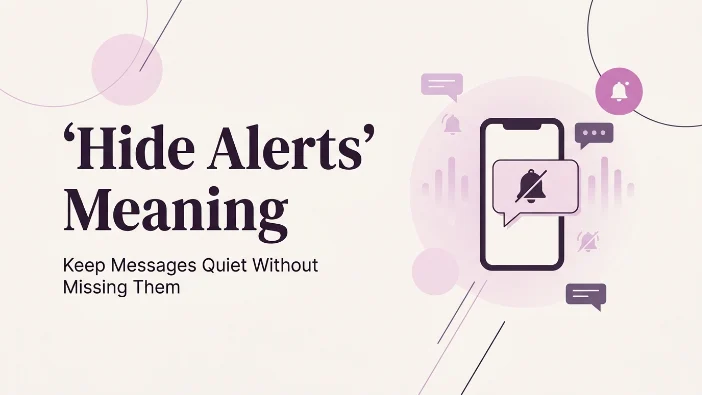
“Hide Alerts” means notifications from a specific conversation or app will be silenced. You can still receive messages, but your device won’t alert you each time a new one arrives.
You’re scrolling through your phone, and you notice a little bell-with-a-slash icon next to someone’s name in your messages. Or maybe you’re digging through your settings menu and stumble across a toggle labeled “Hide Alerts.” Your first thought is probably: wait, did I do that? Did I mute someone by accident? Is this the same as blocking?
If you’ve ever paused mid-scroll wondering exactly what that little switch does and whether flipping it will make you disappear from someone’s life or just quiet things down a bit you’re in exactly the right place. This guide breaks down what “Hide Alerts” actually means, where the term comes from, how it’s used across different apps, and how it compares to similar features like muting, archiving, and blocking.
What Does “Hide Alerts” Mean?
“Hide Alerts” is a notification setting most commonly found in Apple’s Messages app and similar messaging platforms that silences incoming notifications (sounds, banners, badges, and lock-screen previews) from a specific conversation, without blocking the sender, deleting the chat, or preventing new messages from arriving.
In plain English: the messages still come through, you can still read and reply to them whenever you want, but your phone stops buzzing, dinging, or lighting up every time that person texts you. It’s a “quiet mode” for one conversation, not a wall.
That’s the featured-snippet version. Now let’s unpack everything around it.
Where Did “Hide Alerts” Come From?
The phrase “Hide Alerts” isn’t internet slang that grew out of TikTok trends or Gen Z texting culture it’s a literal, functional label that Apple built directly into iOS Messages. It’s a UI (user interface) term, meaning it was designed by engineers and product teams to describe exactly what the button does, rather than evolving organically the way slang terms like “left on read” or “ghosting” did.
That said, the concept behind it isn’t new. Long before smartphones, people had “Do Not Disturb” signs on hotel doors and silent ringers on landline phones. The idea of wanting connection without constant interruption is as old as communication itself “Hide Alerts” is just the modern, app-based version of that instinct.
Its popularity exploded alongside the rise of group chats and increasingly chatty notification culture. As more people found themselves buried under a nonstop stream of pings from family group texts, work Slack channels, and friend chats, features like Hide Alerts became less of a hidden setting and more of a digital survival tool. Today, it’s one of the most searched notification-related terms because so many people discover it accidentally and then Google it to make sure they haven’t done something drastic (like blocking a friend by mistake).
How “Hide Alerts” Works in Real Life
Here’s the practical side of things what actually happens when you turn this setting on.
What Changes When You Hide Alerts
- 🔕 No sound or vibration when that person or group messages you
- 🚫 No banner or pop-up notification on your lock screen or home screen
- 🔢 No red badge number increase tied to that specific conversation (in most versions)
- 👁️ No message preview shown on your lock screen for that thread
What Stays Exactly the Same
- ✅ You still receive every message nothing is lost or delayed
- ✅ You can still open the conversation and reply normally
- ✅ The other person has no idea you’ve hidden alerts (there’s no “read receipt” style indicator for this)
- ✅ The conversation still appears in your message list, just without a badge alert
This last point trips a lot of people up. Hiding alerts is a completely private, one-sided action. The other person will never get a notification, banner, or hint that says “this person silenced you.” From their perspective, everything looks totally normal.
Examples of “Hide Alerts” in Context
Let’s look at how this plays out in everyday scenarios, with different emotional tones because the reason someone hides alerts can range from totally neutral to a little more pointed.
Friendly / Neutral Tone
I hid alerts on our group chat because it was blowing up my phone every five minutes 😅 didn’t want to miss anything, just needed the noise to stop.
This is the most common use case no drama, just decluttering. Someone loves their friend group chat but doesn’t want 200 notifications a day.
Practical / Work-Related Tone
“I hide alerts on my team’s Slack after 6 PM so I can actually disconnect, but I still check it first thing in the morning.”
Here, it’s about boundaries and mental health, not about the people themselves.
Slightly Dismissive / Distancing Tone
“Honestly, I hid alerts on that chat months ago. I still see the messages eventually, I just don’t need my phone buzzing every time.”
This example shows a subtler emotional layer someone maintaining a connection without wanting the same level of urgency or attention as before.
H3: Neutral, Functional Tone
“Quick tip: if your phone keeps going off during meetings, just hide alerts for that one conversation instead of turning on Do Not Disturb for everything.”
“Hide Alerts” vs. Similar Terms A Comparison Table
People often confuse “Hide Alerts” with other, similar-sounding features. Here’s how they actually differ:
| Feature | What It Does | Does the Sender Know? | Do You Still Get Messages? | Can You Still See Old Messages? |
|---|---|---|---|---|
| Hide Alerts | Silences notifications for one conversation | No, never | Yes, silently | Yes |
| Mute (general) | Same as Hide Alerts on many platforms; silences sound/banners | No | Yes | Yes |
| Archive | Moves the conversation out of your main inbox view | No | Yes | Yes (in archive folder) |
| Block | Prevents the person from contacting you at all | Sometimes implied (message fails to send) | No | Yes (old ones remain) |
| Delete Conversation | Removes the chat thread from your device | No | Yes (new messages start a new thread) | No, history is gone |
| Do Not Disturb (device-wide) | Silences all notifications temporarily, not just one chat | No | Yes | Yes |
The biggest misconception is that Hide Alerts equals Block it absolutely does not. Blocking is a hard stop. Hiding alerts is simply a volume knob turned down for one conversation.
Alternate Meanings of “Hide Alerts”
While the most common use is in messaging apps, the phrase (or similar wording) shows up in a few other contexts:
- Email apps: Some email clients use “hide notifications” or “mute thread” for the same silencing effect on a specific email conversation.
- Social media apps: Platforms sometimes use “hide alerts” language for comment notifications, DM notifications, or activity alerts (likes, follows, tags) on a specific post or profile.
- Smart home / security apps: In a completely different context, some home security systems use “hide alerts” to describe suppressing motion or sensor notifications temporarily unrelated to messaging but functionally similar (reduce noise, keep the system active).
- Calendar apps: Occasionally used to describe silencing reminder pop-ups for a specific event or calendar without deleting the event.
The core idea stays consistent across all of these: suppress the notification, keep the underlying data or connection intact.
Polite and Professional Alternatives to Say “I Hid Alerts”
If you’re explaining this feature to someone maybe they noticed you’re slower to respond, or you’re writing help documentation here are some friendlier, more professional ways to phrase it:
- “I’ve silenced notifications for that chat, but I’ll still catch up on it.”
- “I turned off alerts there just to manage my notification overload.”
- “That conversation is muted on my end nothing personal, just decluttering.”
- “I get to messages there when I have a moment; the alerts are just quieted.”
- “I’ve paused notifications for that thread to stay focused during work hours.”
These phrasings keep the explanation warm and non-confrontational, especially useful in workplace or family settings where someone might otherwise misread silence as being ignored.
Why People Use Hide Alerts
- 📱 Notification fatigue too many pings from one chatty group
- 🌙 Sleep and focus protection avoiding late-night or work-hour interruptions
- 💬 Group chat overload one active group drowning out everything else
- 🧘 Mental health boundaries reducing anxiety from constant buzzing
- 🤫 Privacy not wanting message previews visible on a shared or public screen
- 😐 Mild social distancing wanting less urgency in a specific relationship without cutting contact
How to Turn Hide Alerts On
While exact steps vary slightly by app and OS version, the general process looks like this:
- Open the conversation you want to silence.
- Tap the contact name, group name, or info icon at the top of the chat.
- Look for a toggle labeled “Hide Alerts”, “Mute,” or “Notifications.”
- Switch it on.
- Exit the settings you’re done, no confirmation is sent to the other person.
To reverse it, you simply repeat the process and toggle it back off.
Quick Reference Table: Hide Alerts at a Glance
| Question | Answer |
|---|---|
| Does the sender get notified? | No |
| Do you still receive messages? | Yes |
| Can you still reply? | Yes |
| Is it reversible? | Yes, anytime |
| Does it delete chat history? | No |
| Is it the same as blocking? | No |
| Is it app-wide or per-conversation? | Per-conversation |
FAQs
1. Does hiding alerts mean I blocked someone?
No. Hiding alerts only silences notifications. The person can still message you, and you can still see and reply to their texts normally.
2. Will the other person know I hid alerts on them?
No. There is no notification, indicator, or read receipt that tells them you’ve silenced the conversation. It’s completely invisible on their end.
3. Will I still receive messages if I hide alerts?
Yes. Every message still arrives in the conversation; you simply won’t get a sound, banner, or lock-screen preview alerting you to it.
4. What’s the difference between hide alerts and mute?
On most platforms, they’re functionally the same thing “Hide Alerts” is just Apple’s specific wording for what other apps call “mute.”
5. Can I hide alerts for a group chat only, not individual chats?
Yes. You can hide alerts for a specific group without affecting notifications from any of the individual members’ direct messages to you.
6. How do I undo hide alerts?
Go back into the same conversation’s settings and toggle “Hide Alerts” off. Notifications will resume immediately.
7. Does hiding alerts delete old messages?
No. Your entire message history stays intact and visible; nothing is deleted or archived.
H3: 8. Is hiding alerts the same as archiving a conversation?
Not quite. Archiving moves the chat out of your main inbox view but doesn’t necessarily change notification behavior on every platform, whereas Hide Alerts specifically targets the notification sound/banner without moving the chat.
Conclusion
“Hide Alerts” is one of those small, easy-to-overlook features that ends up being genuinely useful once you understand it. At its core, it’s simply a way to silence notifications from one specific conversation without blocking, deleting, or ghosting anyone. The messages keep coming, you can check them whenever you want, and the other person never finds out you’ve turned the volume down.
Practical tips to remember:
- Use Hide Alerts for chatty group chats, not personal relationship problems it’s a notification tool, not a communication tool.
- Don’t confuse it with blocking; they serve completely different purposes.
- It’s private and reversible, so there’s no harm in experimenting with it.
- If a conversation feels overwhelming but you don’t want to lose it, this is the middle-ground solution.
Next time you see that bell-with-a-slash icon, you’ll know exactly what it means and maybe even use it yourself to reclaim a little peace and quiet from your phone.
Read More Related Articles:
- “Service Engine Soon” Meaning | Complete Guide to Your Dashboard Warning Light In 2026
- L Meaning on a Car | Drive Smarter in Tough Road Conditions In 2026
- “Service Tire Monitor System” Meaning | Why This Warning Appears In 2026










5 thoughts on ““Hide Alerts” Meaning | Keep Messages Quiet Without Missing Them In 2026”