Featured Snippet Definition:
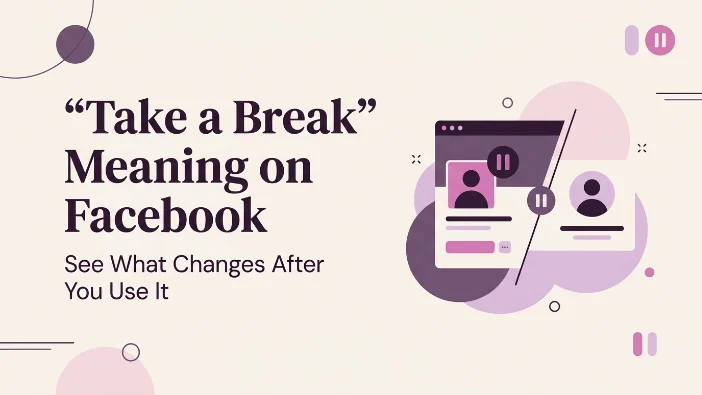
“Take a Break” on Facebook is a privacy and feed management feature that allows you to limit interactions with a friend without unfriending or blocking them. When activated, you see less of their posts, and they see less of yours, while the other person is not notified of the change. It is a middle-ground solution for managing digital relationships, often used after breakups or when needing space from someone’s online presence.
We’ve all been there. You’re scrolling through your Facebook feed, looking for updates from family or news about your favorite hobbies, but a particular friend’s posts keep hijacking your attention. Maybe it’s a constant stream of polarizing political opinions, an oversharing of every meal, or perhaps you’re going through a breakup and seeing their smiling face pop up in the “People You May Know” section or your feed is just… a lot.
In the past, your options were harsh: either unfriend them (which could lead to awkward real-life encounters), block them (the nuclear option), or just silently suffer through their updates. However, years ago, Facebook introduced a subtle but powerful tool to address this specific social media dilemma: the “Take a Break” feature .
This feature is designed to be the digital equivalent of “needing some space.” It allows you to maintain your friendship on the platform while effectively pressing the “mute” button on their presence in your life. Whether you are looking to navigate a difficult breakup, manage a toxic acquaintance, or simply reduce digital clutter, understanding what “Take a Break” means on Facebook is essential for your social media wellbeing.
In this comprehensive guide, we will dive deep into the mechanics of this feature, explore how to use it, and explain why it might be the best-kept secret on the social network for maintaining your sanity.
What Exactly Does “Take a Break” Do?
When you initiate a “Take a Break” with someone, several things happen behind the scenes to create distance . It is more comprehensive than simply “unfollowing” someone because it works in both directions.
1. You See Less of Them
The primary effect is that their posts will stop appearing in your main News Feed. This includes status updates, photos, videos, and even posts they are tagged in. You essentially go “invisible” to their public sharing habits. You can still visit their profile directly if you want to check in, but the algorithm will stop pushing their content to you .
2. They See Less of You
This is where the “Take a Break” feature goes a step further than just “unfollowing.” The person is automatically moved to your Restricted List . This means that any posts you share with your “Friends” privacy setting will not be visible to them. They will only be able to see posts you make public or posts where you specifically tag them. This prevents the awkwardness of them liking or commenting on your posts while you are trying to create distance.
3. Clean Up Past Posts
The feature also gives you the option to manage the past. You can choose to edit who can see posts you are tagged in together, or even untag yourself from them entirely. This is often the most useful tool for people processing a breakup, as it helps clean up the digital footprint of the relationship .
Scenarios: Why Would You Use This Feature?
The reasons for wanting to take a break are as varied as human relationships themselves. Here are the most common use cases:
- Romantic Breakups: This is arguably the most popular use. The period immediately following a breakup is emotionally raw. Seeing an ex-pop up in your feed can reset your healing progress or cause unnecessary anxiety. “Taking a break” allows you to avoid their posts without the drama of a block, which can often escalate tensions.
- Need for Emotional Space: Sometimes, it’s not a breakup but a “falling out.” Maybe a friend said something hurtful, or you need space to process a conflict. Taking a break allows you to step back from the digital aspect of the friendship without causing a public rift.
- The “Oversharer”: We all have that one friend who posts 15 times a day about their lunch, their dog, or their opinion on everything. The “Take a Break” feature can clear up your feed and reduce the noise .
- Doom-Scrolling Intervention: Interestingly, Facebook also uses the “Take a Break” concept for a separate feature: time management. If you’ve spent a significant amount of time (often 20 minutes) on the app, you may see a notification encouraging you to “Take a Break” from the platform itself .
Step-by-Step Guide: How to Take a Break
Using the “Take a Break” feature is surprisingly easy and discreet. Here is how you do it, depending on whether you are using the mobile app or a desktop browser .
Step 1: Navigate to the Friend’s Profile
Go to Facebook and navigate to the profile page of the person you wish to take a break from.
Step 2: Open the “Friends” Menu
On their profile, you will see a button that says “Friends” (it usually looks like a blue button with a checkmark). Click or tap on this button. A drop-down menu will appear .
Step 3: Select “Take a Break”
In that menu, you will see several options: Unfriend, Unfollow, Add to Favorites, Edit Friend Lists, and… Take a break. Click this option.
Step 4: Customize Your Break
A page will pop up giving you granular control over the break. You can toggle the following options on or off :
- See less of [Name]: Prevents their posts from showing in your News Feed.
- Limit what [Name] sees: Restricts their access to your posts (moves them to your restricted list).
- Edit past posts: Allows you to limit who can see past posts you were both tagged in.
Once you are satisfied with your selections, click Save or Done.
Comparison: “Take a Break” vs. “Unfriend” vs. “Block” vs. “Unfollow”
Understanding the nuance between these four options is crucial for managing your social media presence appropriately. Here is a quick comparison table:
The Nuance of Tone
While “Take a Break” is a tool that feels neutral—it’s not necessarily a harsh judgment—the context often dictates the tone. It can range from a healthy boundary to a passive-aggressive move.
- Friendly/Neutral: “My friend is posting a lot of baby photos, and while I love them, it’s clogging up my feed, so I took a break just to clean up my timeline.” (Context: Keeping the feed relevant).
- Negative/Emotional: “He broke my heart, and I can’t stand seeing his face every time I open the app. I don’t want to block him and cause a scene, so I’m just going to take a break and stay quiet.” (Context: Healing from loss).
- Dismissive: “I didn’t even realize I had muted them until they complained I wasn’t liking their photos. Oh well, I guess the algorithm took a break from them.” (Context: Social ignorance).
FAQs
1. Does Facebook notify someone when I take a break from them?
No. Facebook does not send the person a notification when you use the Take a Break feature. The changes happen quietly, so they generally won’t know that you have adjusted your feed or post visibility settings.
2. Can the person still see my posts if I take a break?
That depends on the settings you choose. If you limit what the person can see, they may be placed on your Restricted List, meaning they won’t see posts shared with Friends. They can still see posts you make Public, and they may see content where you specifically tag them.
3. How long does Facebook’s “Take a Break” feature last?
There is no set expiration date. The changes remain in place until you manually change or reverse them. You can adjust the settings again whenever you decide you no longer want to take a break from that person.
4. Is “Take a Break” the same as unfriending someone?
No. Take a Break and unfriending are different. Taking a break allows you to remain Facebook friends while giving you more control over what you see and what the other person can see. Unfriending removes the friendship connection altogether.
5. Will taking a break affect my Messenger conversations?
No. Using Take a Break does not normally prevent you from communicating through Facebook Messenger. You can still message the person, while the feature primarily changes how posts and profile content appear on Facebook.
6. Why does Facebook suggest that I take a break from someone?
Facebook may suggest this option in certain situations, particularly after changes to a relationship status. The feature is designed to give you more control over interactions with someone without requiring you to unfriend or block them.
7. How can I take a break from Facebook itself?
If you want to spend less time on Facebook, you can use its screen-time and reminder features to help manage your usage. Depending on your app version and settings, you may be able to set daily time reminders that encourage you to take a break after using the app for a certain period.
8. What happens to posts I’m tagged in with that person?
During the Take a Break setup, Facebook may give you options for managing past posts and tags. Depending on the available settings, you can review tagged posts, remove your tag, or adjust who can see certain posts involving both of you.
Conclusion:
The “Take a Break” feature is a testament to the idea that social media should serve you, not stress you out. It provides a graceful exit strategy for oversaturated social interactions without the awkwardness of a digital break-up.
Key Takeaways:
- Discretion is key: The person you take a break from will never know .
- It’s a two-way street: It limits what they see of you and what you see of them.
- It’s reversible: You can always change your mind and return to normal settings.
- Use it for peace of mind: Whether it’s a breakup or just too many controversial posts, if someone’s presence is causing you stress, hit “Take a Break.”
Read More Related Articles:
- Mercy Meaning | Powerful Lesson Behind Kindness and Forgiveness In 2026
- Mija Meaning In Spanish | Sweet Nickname You’ll Hear Everywhere In 2026
- Punta Meaning In Spanish | From Literal Meaning to Everyday Usage In 2026

Michael Turner is a U.S.-based content writer and blogger who enjoys uncovering the stories and meanings behind words. Through his work at Meanvora, he delivers well-researched, easy-to-read articles that help readers expand their vocabulary and gain a deeper understanding of language.








17 thoughts on ““Take a Break” Meaning on Facebook | See What Changes After You Use It In 2026”